

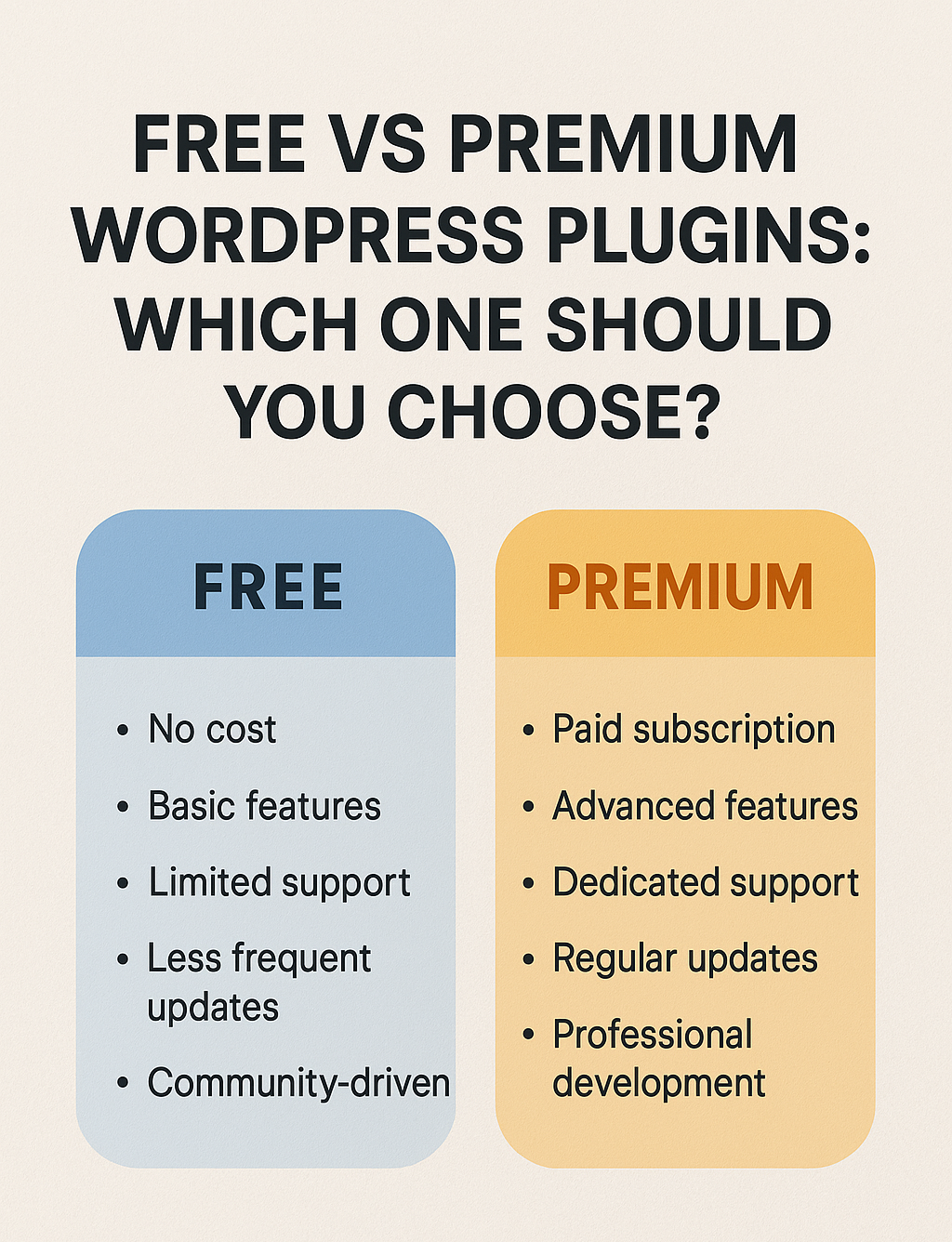
When building or managing a WordPress website, one of the most critical decisions you’ll face is whether to use free or premium plugins. Both options have their advantages and drawbacks, and the right choice depends on your website’s needs, budget, and long-term goals.
In this detailed comparison, we’ll explore the key differences between free and premium
WordPress plugins, their pros and cons, and how to decide which is best for your site.
1. What Are Free WordPress Plugins?
Free plugins are open-source tools available in the WordPress Plugin Directory at no cost. They are developed by individuals or companies and can be installed directly from your WordPress dashboard.
Pros of Free Plugins:
✅ Cost-Effective – No upfront payment required, making them ideal for beginners or small websites with limited budgets.
✅ Easy to Try – You can test multiple plugins risk-free before committing to a premium version.
✅ Community Support – Many free plugins have active user communities, forums, and documentation for troubleshooting.
✅ Regular Updates (Sometimes) – Well-maintained free plugins receive updates for security and compatibility.
Cons of Free Plugins:
❌ Limited Features – Free versions often lack advanced functionalities available in premium versions.
❌ No Guaranteed Support – Developers may not provide dedicated customer support for free users.
❌ Potential Security Risks – Poorly coded or abandoned plugins can pose security threats.
❌ Ads & Upsells – Some free plugins include promotional links or constant upgrade prompts.
2. What Are Premium WordPress Plugins?
Premium plugins are paid tools that offer enhanced features, dedicated support, and regular updates. They are sold through third-party marketplaces (like CodeCanyon) or directly from developers’ websites.
Pros of Premium Plugins:
✅ Advanced Features – Access to exclusive tools, integrations, and customization options.
✅ Priority Support – Faster and more reliable help from developers via email or live chat.
✅ Better Security & Stability – Premium plugins are usually better coded and regularly audited.
✅ Regular Updates – Paid plugins often receive consistent improvements and WordPress compatibility fixes.
✅ No Ads or Nagging – No promotional content pushing upgrades.
Cons of Premium Plugins:
❌ Higher Cost – Requires a one-time payment or subscription, which may not suit tight budgets.
❌ Overkill for Simple Sites – If you only need basic functionality, a premium plugin may be unnecessary.
❌ Refund Policies Vary – Some premium plugins don’t offer money-back guarantees.
3. Key Factors to Consider When Choosing Between Free & Premium Plugins
A. Budget
If you’re just starting or running a low-traffic blog, free plugins may suffice.
For business websites, eCommerce stores, or high-traffic sites, investing in premium plugins is often worth it.
B. Required Features
Need basic SEO? Yoast SEO Free might be enough.
Need advanced WooCommerce customization? A premium plugin like WP Rocket (for speed) or Advanced Custom Fields Pro could be essential.
C. Security & Reliability
Free plugins with low ratings or infrequent updates can be risky.
Premium plugins usually follow strict coding standards and offer better protection.
D. Support Needs
If you need quick help, premium plugins typically offer priority support.
Free plugins rely on community forums, which can be slower.
E. Scalability
Free plugins may not scale well as your site grows.
Premium plugins often include performance optimizations for larger sites.
4. When Should You Use Free Plugins?
✔ You’re testing a new feature before buying the premium version.
✔ Your website has minimal requirements (e.g., a simple contact form).
✔ You’re comfortable troubleshooting issues yourself.
When Should You Invest in Premium Plugins?
✔ You run a business website or eCommerce store.
✔ You need advanced functionality (e.g., membership sites, custom databases).
✔ Security and speed are top priorities.
✔ You want dedicated customer support.
5. Best Practices for Choosing WordPress Plugins
Check Reviews & Ratings – Both free and premium plugins should have positive feedback.
Verify Update Frequency – Avoid plugins that haven’t been updated in over a year.
Test Before Committing – Use free versions first, then upgrade if needed.
Consider Bundles – Some premium plugins (like Elementor Pro) offer additional features at a discount.
Final Verdict: Free or Premium?
There’s no one-size-fits-all answer—it depends on your needs.
🔹 Choose Free Plugins If: You have a small site, limited budget, or only need basic features.
🔹 Choose Premium Plugins If: You need advanced functionality, reliable support, and better security.
In many cases, a mixed approach works best—using free plugins for simple tasks and investing in premium solutions for critical functions.
What’s Your Experience?
Do you prefer free or premium WordPress plugins? Let us know in the comments! 🚀